SEARCH ENGINES
The browser battle is on and the biggest players are Firefox and Chrome. These two rivals however are not equals. Firefox was released in 2002 while Chrome was launched in 2008. It seems that Mozilla has a lot more experience when it comes to surfing the web but Google shaped the internet as we know it today which gives them a slight advantage.
 Firefox has always been working to improve its browsing speed but Chrome managed to run faster from the beginning. One of the elements that makes the browsing experience faster is the autofill feature of the address bar. This is mainly because Google search is embedded in the address bar. Firefox is not slow but Chrome is just faster. Lately Firefox started to have problems clearing its cache and using system memory in an efficient manner. Using more memory is not much of a problem since RAM offers excellent read and write speeds but using the hard drive to cache pages means a much slower browser. Chrome is a bit less hard-drive constricted and uses a bit more RAM which makes it faster.While both of them serve the same purpose, Chrome and Firefox appeal to different kind of users. Firefox was built to be appealing to users that like open source solutions that can be customized using plugins and themes and thankfully there are plenty of those. Firefox can be customized to do pretty much anything one might think of. It does fall short in terms of performance but that might change in future versions.
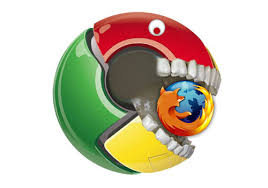
The browser battle is on and the biggest players are Firefox and Chrome. These two rivals however are not equals. Firefox was released in 2002 while Chrome was launched in 2008. It seems that Mozilla has a lot more experience when it comes to surfing the web but Google shaped the internet as we know it today which gives them a slight advantage.
Firefox has always been working to improve its browsing speed but Chrome managed to run faster from the beginning. One of the elements that makes the browsing experience faster is the autofill feature of the address bar. This is mainly because Google search is embedded in the address bar. Firefox is not slow but Chrome is just faster. Lately Firefox started to have problems clearing its cache and using system memory in an efficient manner. Using more memory is not much of a problem since RAM offers excellent read and write speeds but using the hard drive to cache pages means a much slower browser. Chrome is a bit less hard-drive constricted and uses a bit more RAM which makes it faster.While both of them serve the same purpose, Chrome and Firefox appeal to different kind of users. Firefox was built to be appealing to users that like open source solutions that can be customized using plugins and themes and thankfully there are plenty of those. Firefox can be customized to do pretty much anything one might think of. It does fall short in terms of performance but that might change in future versions.
Chrome on the other hand is a browser that works best for people that are used to the Google ecosystem. This means Gmail, Google Plus, YouTube, Google Search, Maps and so on. All of these work on Firefox as well but the single sign-on feature in Chrome makes it much easier to work with everything that Google has to offer including Chromecast. An official plugin for Chrome was released that allows PCs to stream to Chromecast which is currently not possible with Firefox.Firefox has always been working to improve its browsing speed but Chrome managed to run faster from the beginning. One of the elements that makes the browsing experience faster is the autofill feature of the address bar. This is mainly because Google search is embedded in the address bar. Firefox is not slow but Chrome is just faster.
Some of the problems that cause both of them to become slow is browser bloating. This term refers to the browser’s bad habit of using more and more system resources. Lately Firefox started to have problems clearing its cache and using system memory in an efficient manner. Using more memory is not much of a problem since RAM offers excellent read and write speeds but using the hard drive to cache pages means a much slower browser. Chrome is a bit less hard-drive constricted and uses a bit more RAM which makes it faster.
| Open source | Yes | No |
|---|---|---|
| Website | mozilla.org/firefox | www.google.com/chrome |
| Default search engine | ||
| Tab Groups | Yes | No |
| Tabbed browsing | Yes | Yes |
| Operating Systems | Windows, Mac OS, GNU/Linux, UNIX, Android | Windows, Linux, Mac OS, Android,IOS |
| Initial release | September 23, 2002; 10 years ago | September 2, 2008 |
| Full screen mode | Supported | Supported |
| Developed by | Mozilla | |
| Latest stable release | 27 | 30 |
| Supports custom extensions | Yes | Yes |
| Developer | Mozilla Foundation and the open source community | Google Inc. |
| Freeware | Yes | Yes |
| License | MPL | Free under Google Chrome Terms of Service |
| Flash player | Plugin available; not built-in | Plugin is built-in; can be disabled |
| Written in | C/C++, JavaScript, CSS, XUL, XBL | Python, C++ |
| Related software | Firefox OS | Chrome OS |
| CSS animated gradients in HTML | Supported | Supported |
| Media codecs supported | WebM, Ogg Theora Vorbis, Ogg Opus, MPEG H.264 (AAC or MP3), WAVE PCM | Vorbis, WebM, Theora, AAC, MP3, H.264 |
| PDF viewer | PDF viewer natively supported (without plugin); more features than Google Chrome such as thumbnails, page numbers, page navigation | Plugin is built-in; can be disabled |
| Print preview | Yes | Yes |
| Auto update | Yes | Yes |
| Omnibox | Yes | Yes |
